
Shop
Open Shop to manage products, review purchases, configure player commands, and edit message templates. Payments use the virtual currency managed in Economy. Players can also purchase through the separate Player center.
Enable the shop and its commands
- Open Configuration, enable the shop, and review the three command names, aliases, and enabled states.
- Enter names without the chat prefix. Names and aliases must not conflict with other features; inspect the effective directory in Chat and console.
- Save the configuration. Empty description overrides use server-language defaults. The interface-language button fills an explicit draft; save it only if you want that text to become a global override. Restoring a description clears its override on the next save.
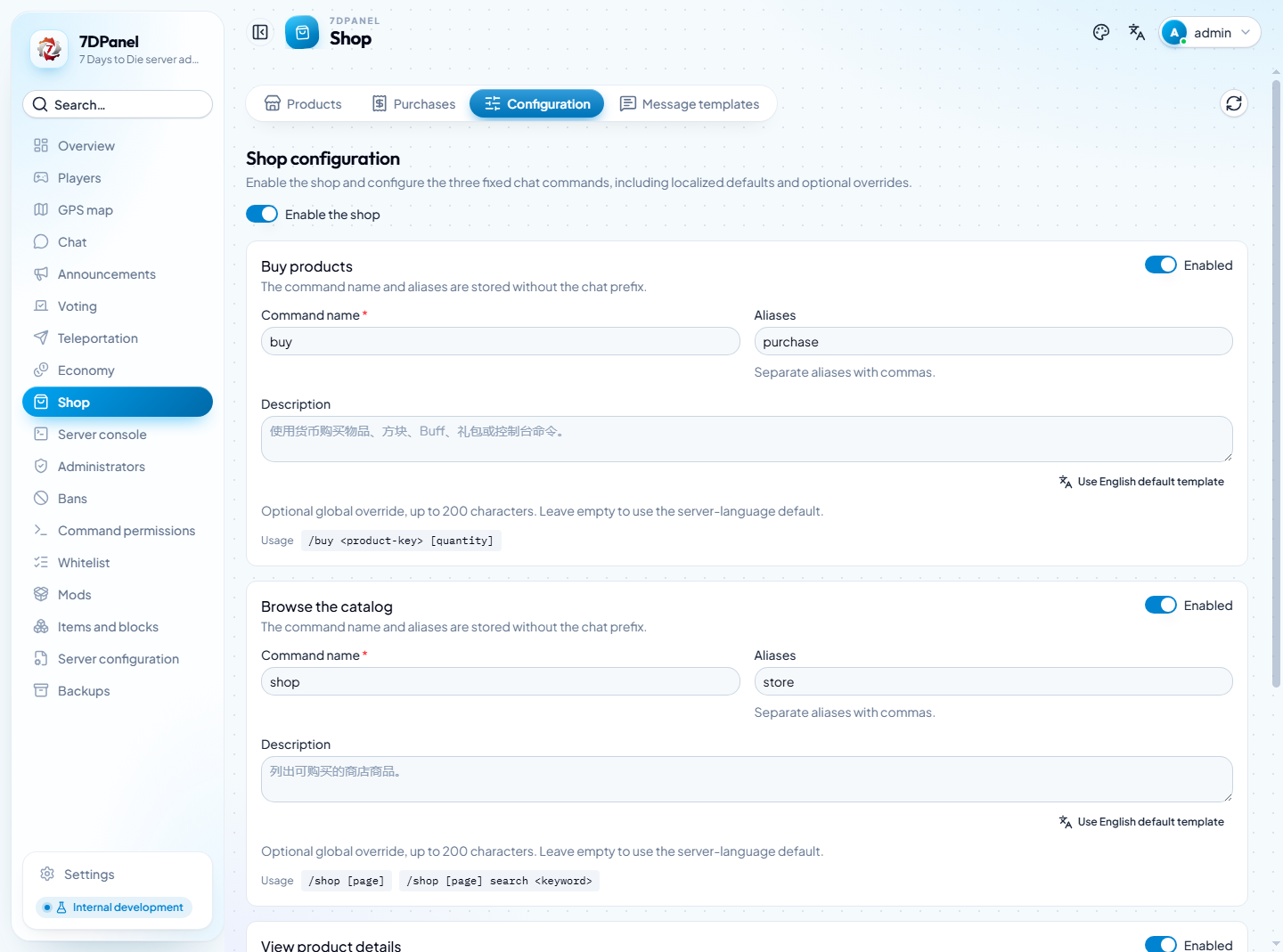
Captured from the running frontend and configured development backend. These command names reflect the configuration at capture time.
The examples below use the default / prefix and command names. Use the effective names from your server if you have changed them.
| Player command | Purpose |
|---|---|
/shop [page] | List available products, up to ten per page. |
/shop search Starter pack 2 | Search for the entire phrase Starter pack 2. |
/shop 2 search Starter pack 2 | Open page two of those search results. |
/shopinfo <product-key> | Inspect price, delivery settings, limits, and bundle contents. |
/buy <product-key> [quantity] | Purchase with virtual currency; quantity defaults to one. |
Players see only enabled products with available definitions. Disabled products and missing definitions remain visible to operators for repair. Follow the next-page command returned by search so the search text is preserved.
Create a product
- In Products, choose Add product and enter a stable product key and display name. The key is what players use in
/buy. - Set the unit price, category, sort order, and enabled state. Set the maximum purchase quantity and delivery settings for the selected type.
- Review the per-player purchase cooldown and daily limit. Zero disables cooldown; an empty daily limit means unlimited units per UTC day.
- Save, then inspect an enabled product through
/shopinfoto verify the published price and delivery settings.
| Type | Delivery settings |
|---|---|
| Item | Loaded item definition, grant count per purchased unit, supported quality, durability, and item Mods. |
| Block | Loaded block definition and grant count; quality and item Mods are unavailable. |
| Buff | One native Buff application per purchase; quantity and grant count are fixed at one. |
| Bundle | 1–50 ordered Item, Block, Buff, or Command actions; purchase quantity is one. Nested bundles and repeated Buff definitions are rejected. |
| Console command | A registered console command and an operator-defined argument template; purchase quantity is one. |
For items and blocks, delivered count is the grant count per unit × purchased quantity. Bundle pricing, cooldown, and daily limits apply to the entire bundle. Editing or deleting a product does not change the delivery snapshots of existing orders.
The editor groups Basic information, Product contents, and Price and purchase limits. Definition and command pickers support search; enter an internal name to locate an exact definition. For Item and Block products, expand Advanced delivery settings to configure quality, durability, and Mods where supported.
Edit a bundle
Select Bundle and add content rows. Each row has a type, a searchable definition or command selector, a grant count where applicable, and expandable settings. Only one row expands at a time; closing it or reordering does not discard its draft. Use the up/down controls to set delivery order. Saving opens invalid rows and shows their field errors. The editor allows at most 50 actions and rejects duplicate Buff definitions.
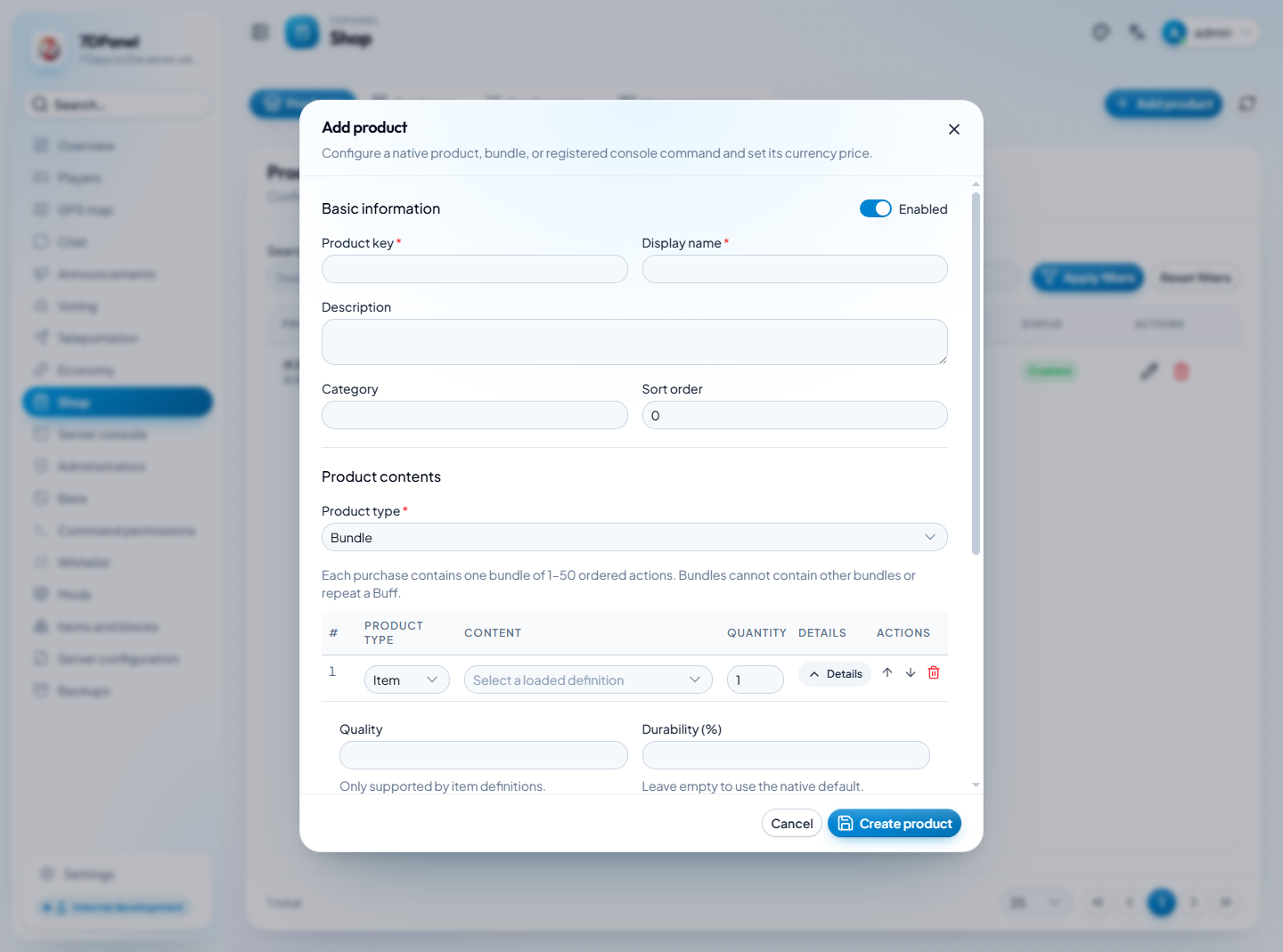
This is an unsaved bundle draft. No product was created for the screenshot.
Inspect Buff effects
Select a Buff definition to read its description, native default duration, and repeat-application rule. A zero duration means no time-based expiry; game events can still remove the effect. Native stacking rules decide whether another application is ignored, extends duration, stacks effects, or replaces the existing effect. Another purchase does not necessarily extend the Buff.
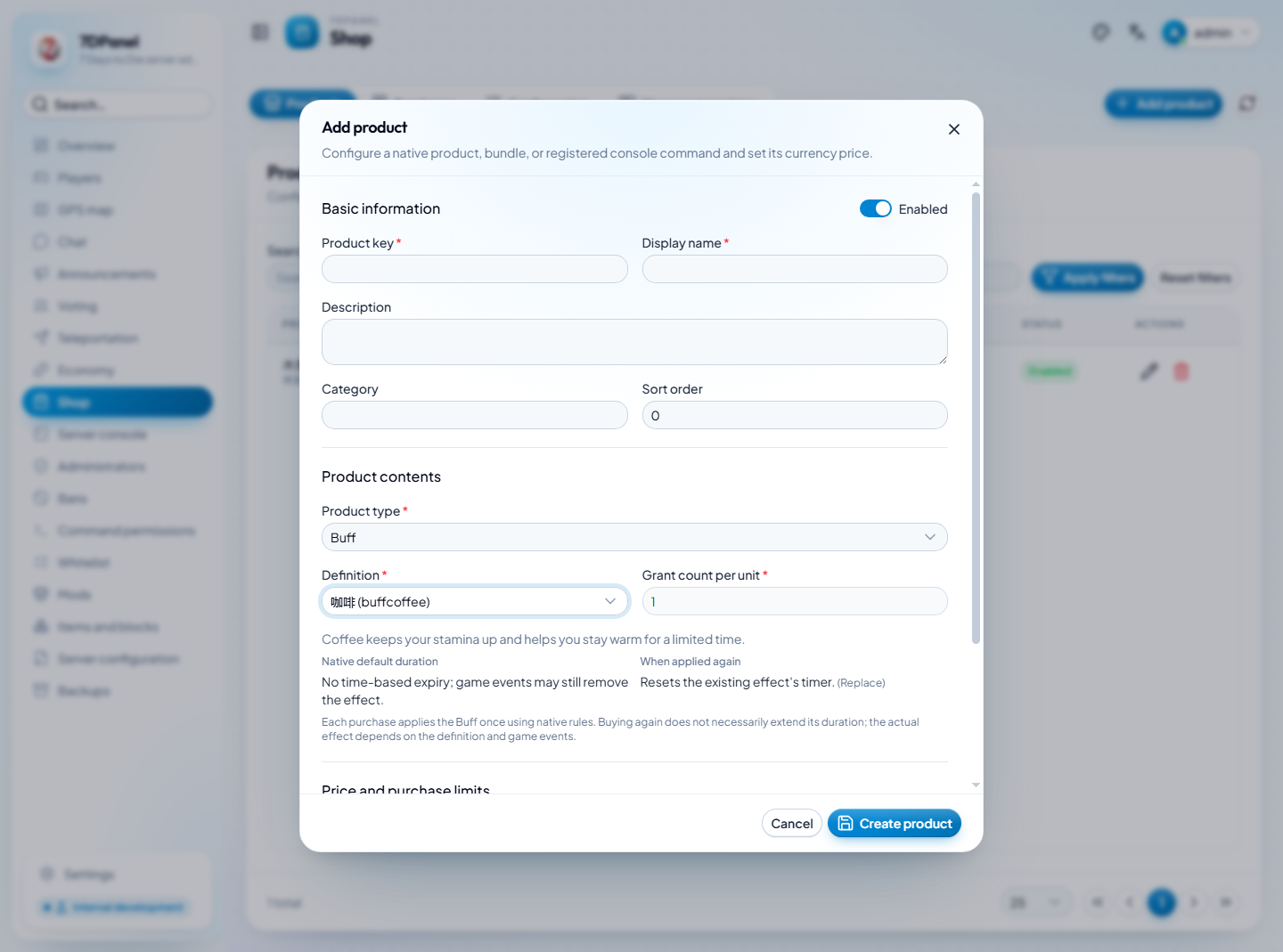
This is an unsaved editor with
buffcoffeeselected from the actual server catalog. No product was saved or Buff applied during capture. Definition names can remain in the game's startup language even when interface labels and descriptions are localized.
Configure console command products
Select a registered command and enter its arguments separately. The supported optional variables are {PlayerId}, {PlayerEntityId}, and {PurchaseId}. Templates must be a single line, at most 2,000 characters. Players purchase the configured action and cannot supply their own console arguments.
Review what the command does before enabling the product: invocation can change game state even if the command later reports an error. A completed invocation does not verify a third-party command's intended effect.
Review purchases and delivery
In Purchases, apply player, product, status, or date filters, then open a record. Less frequently used conditions are under Advanced filters; expanding it preserves the current query, and Reset clears visible and hidden conditions. Status defaults to all statuses. Check a record's charge reference against the Economy ledger, immutable delivery actions, each action's outcome, attempt history, and any scheduled retry.
Only confirmed non-delivery caused by an unavailable player before any action succeeds can receive automatic retries: at most three total attempts, with 30- and 60-second delays. Timeouts, interrupted execution, and partial bundle delivery require manual review because effects may already have applied.
For an Uncertain purchase, inspect the evidence and actual game state before choosing a resolution:
| Resolution | Result |
|---|---|
| Confirm delivered | Mark the order delivered by operator decision without executing delivery again. |
| Redeliver | Execute the original snapshot. For a bundle, explicitly select one remaining action; successful actions are not repeated. |
| Refund | Refund the whole purchase; already delivered items or effects are not revoked. |
| Close | Close the record without delivery or refund. |
A single-action repair can succeed while other actions keep the purchase uncertain. Manual redelivery does not schedule further automatic retries. Bundle delivery has no proportional refund or automatic rollback; avoid repeating effects solely because a request timed out.
Edit player messages
Open Message templates, choose the general, catalog/details, or purchase/delivery group, and inspect each template's supported variables. Placeholders show the server-language defaults. The interface-language button fills a draft; Save stores a global override used regardless of player language. Restore default removes that override so runtime text follows the game's language again.
For catalog next-page hints, use {NextCommand} in shop.catalog-more to preserve search terms in the returned command. Unknown or malformed variables are rejected; supported variables can be omitted when static text is intentional. Switching Shop views preserves their local drafts, so review unsaved changes before leaving the page.