
First sign-in
The installed Mod generates data/config.json on its first startup. Its initial account is admin with password password. Change these demonstration credentials before opening the API to an untrusted network.
Secure the initial account
- Stop the game server or otherwise restrict access to the 7DPanel endpoint.
- Open
<server-root>/Mods/7DPanel/data/config.jsonand replace the generatedusernameandpasswordvalues with your own credentials. Keepdata/machine.keyand the rest ofdata/together with this file. - Restart the game server to load the edited configuration.
- Open the panel URL and sign in with the new username and password.
The browser uses OAuth for the panel session. The username and password are checked by your server; the panel has no separate account-registration page. Protect remote access with a trusted network or an HTTPS reverse proxy, because the default binding uses HTTP.
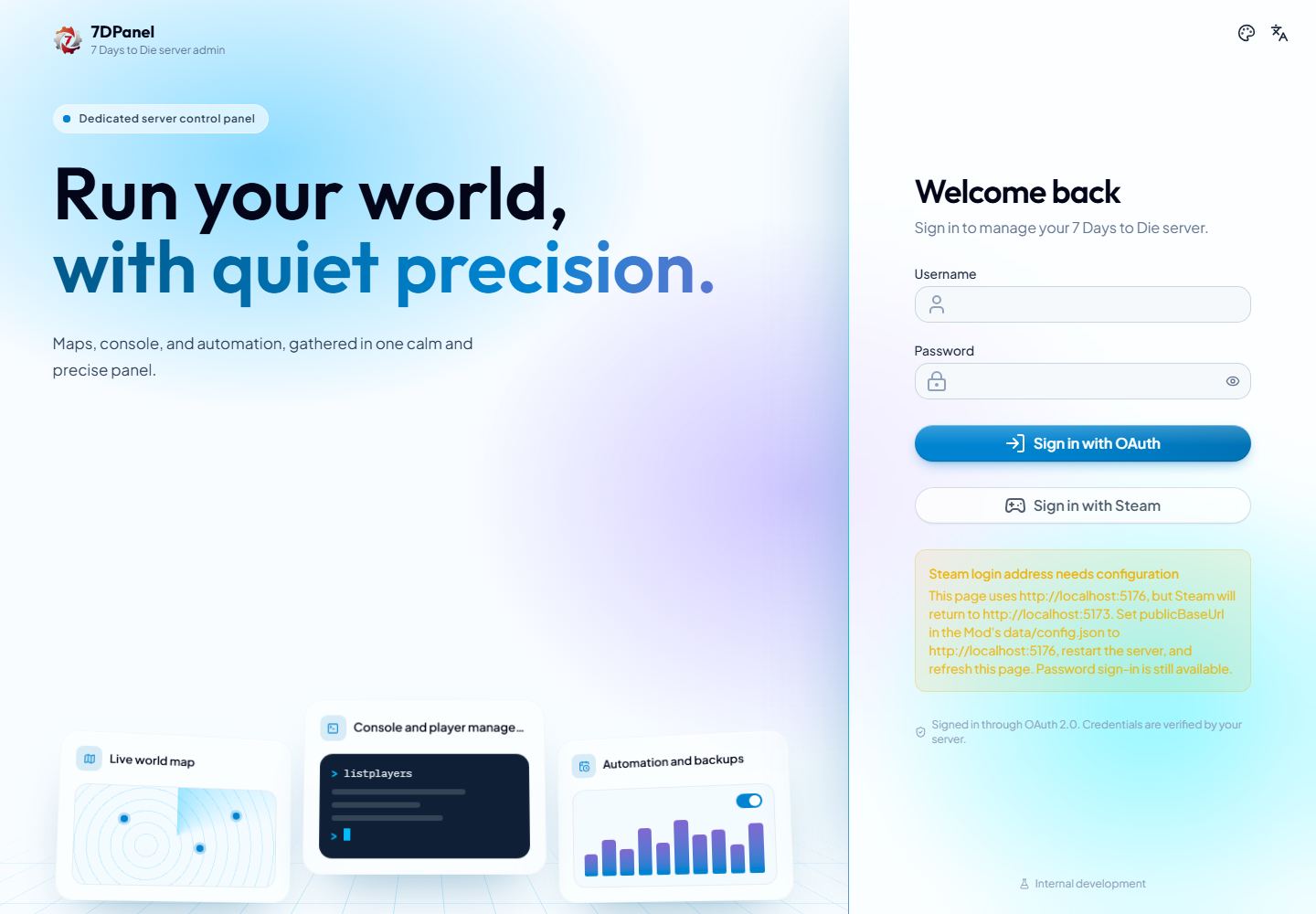
Captured from the running frontend with no credentials filled in. This development session uses a different browser port from the configured Steam callback, so the Steam button is disabled and the page explains how to correct the address.
Sign in with Steam
Steam login is enabled by default and needs no Steam Web API key. The game must be ready, and the Steam player must have joined the current save at least once. An individual administrator entry on their Steam ID or primary game ID must give effective permission level 0; Steam group membership alone does not grant panel access. The player can be offline.
- Configure
steamLoginEnabledandpublicBaseUrlin the Mod'sdata/config.json; see Panel connection settings. - Restart the server and refresh the sign-in page. The browser address must match the configured public origin, including scheme, host, and port.
- Choose Sign in with Steam, complete Steam's sign-in, and return to the panel in the same browser.
For HTTPS reverse proxies, serve the frontend and forward /oauth unchanged on that same origin. If the Steam button is disabled or verification fails, see Troubleshooting. Password sign-in remains available. Steam session refresh rechecks game readiness, the login switch, and administrator permissions; changing permissions does not immediately revoke an already issued access token.
Confirm access
After sign-in, the Overview should load. If the server is still starting, game-dependent pages may temporarily report that it is initializing. The account menu can refresh the current session or sign out. Changing the panel language does not change server data or your credentials.
Players use the separate Player center and temporary in-game login links or codes. Do not share the administrator password for player shopping or balance queries.