
Chat and console
Open Chat for live conversations, history, the command directory, and configuration. Server console shows native server output and runs administrative commands.
Chat
- Open Live chat to follow incoming messages. Choose a recipient when sending a private message; leave it unset for a global message.
- Use History to search retained messages. Expand Advanced filters for less frequently used conditions, then choose Apply filters. Opening or closing the extra fields does not change the query; Reset clears both visible and hidden conditions. History covers the server's retained chat data, not an unlimited archive.
- Use Commands to inspect the effective player command names and aliases. This directory is read-only; configure a command in its owning feature page.
The directory includes Shop commands as well as voting, teleportation, and economy routes. Displayed names include the configured chat prefix. Interface language selects the built-in descriptions shown for management; game-facing default messages follow the server's game language. A saved text override applies across languages.
If you customized Shop search hints, update shop.catalog-more in Shop → Message templates to use {NextCommand} so the next-page hint retains the search text, or restore that template's default. The Player center entry uses the fixed web name with the current Chat prefix.
The live view receives events while connected and can refresh history after reconnecting. If a sent message does not appear in history immediately, allow for asynchronous persistence.
Configure Chat
Open Chat → Configuration, review the current values, and choose Save changes after editing. Saved changes take effect immediately without a restart.
| Setting | Effect |
|---|---|
| Enable 7DPanel Chat | Controls command processing and history persistence. Disabling it leaves native chat, live observation, and management message sending available, but prevents players from requesting new player-center codes. |
| Command prefix | 1–4 visible non-alphanumeric symbols, such as / or !, shared by 7DPanel commands. |
| Allow prefixless commands | Also recognizes exact registered command names or aliases without the prefix. |
| Exclude command messages from history | Omits recognized commands from history and chat-message events. |
| Hide command messages in public chat | Separately suppresses recognized commands in the native public chat. |
| Default senders | Names used when a global or private message does not specify its sender. |
| Generic confirmation and decline | Names, aliases, and description overrides for the default /yes and /no interaction routes. |
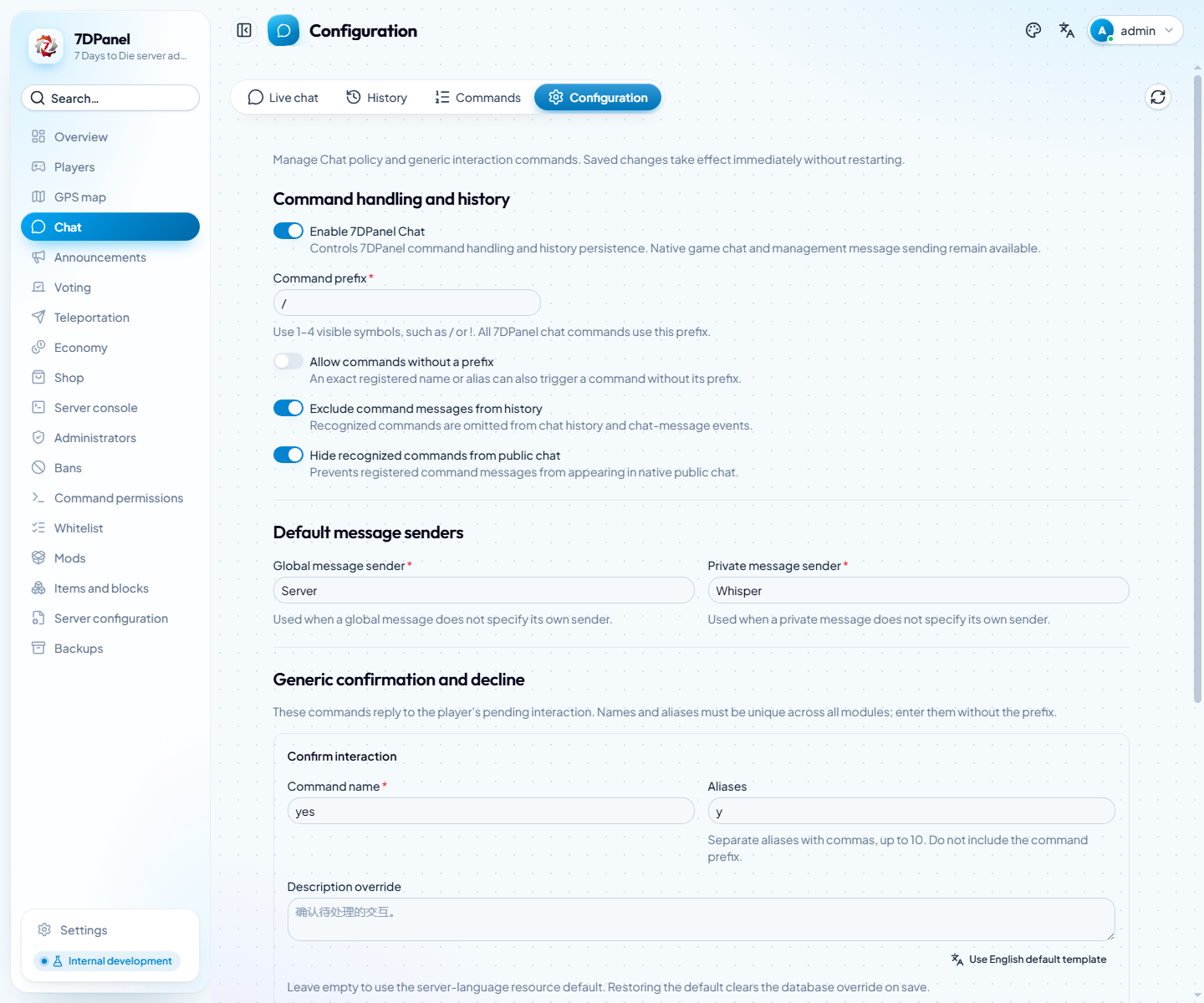
Captured from the running panel without saving changes. Command processing, history exclusion, and public-chat visibility are separate settings.
Enter command names without the prefix and keep them globally unique. A conflict leaves the prior configuration active. Empty description overrides use server-language defaults; the interface-language button fills a draft, which becomes a global override only after saving. Restoring the default clears the override when saved. Generic replies answer the player's current pending interaction; if another interaction occupies that route, use the feature's explicit command, such as /vote yes.
Server console
Open Server console to read recent native log lines and the live stream. Enter a native console command only when you intend to run it on the server. The game's command-permission table governs in-game use of commands; it does not automatically restrict commands issued through this authenticated web console. See Access control.